How to Share Birthday Party Photos? One Link to Collect Everyone's Birthday Memories
Birthday Party Ended, Photo Sharing Gives You a Headache?
The birthday party just ended, and everyone’s phones are definitely filled with wonderful moments:
- 🎂 Precious moments of blowing candles and making wishes
- 🎁 Surprised expressions opening gifts
- 🎉 Party decorations and setup
- 📸 Joyful group photos with friends and family
- 🍰 Warm moments cutting the cake
- 💃 Funny scenes from games and interactions
However, when you want to collect and share everyone’s party photos, have you encountered these problems:
- 📱 Too hard to collect photos: Everyone uses different phones, photos scattered everywhere, very troublesome to collect
- 💬 Group chat flooding: Post to group, photos get buried in messages, takes forever to find a specific photo
- 📧 Quality gets compressed: Sending through chat apps, photo quality severely degrades, loses original clarity
- 😴 Some forgot to send: Days after the party, some haven’t sent photos, feel bad about constantly reminding
- 👴 Elderly can’t operate: Want to share with older relatives, but operations are too complex, they can’t learn
- 📱 Takes up phone space: Too many photos, phone storage is full, but can’t bear to delete
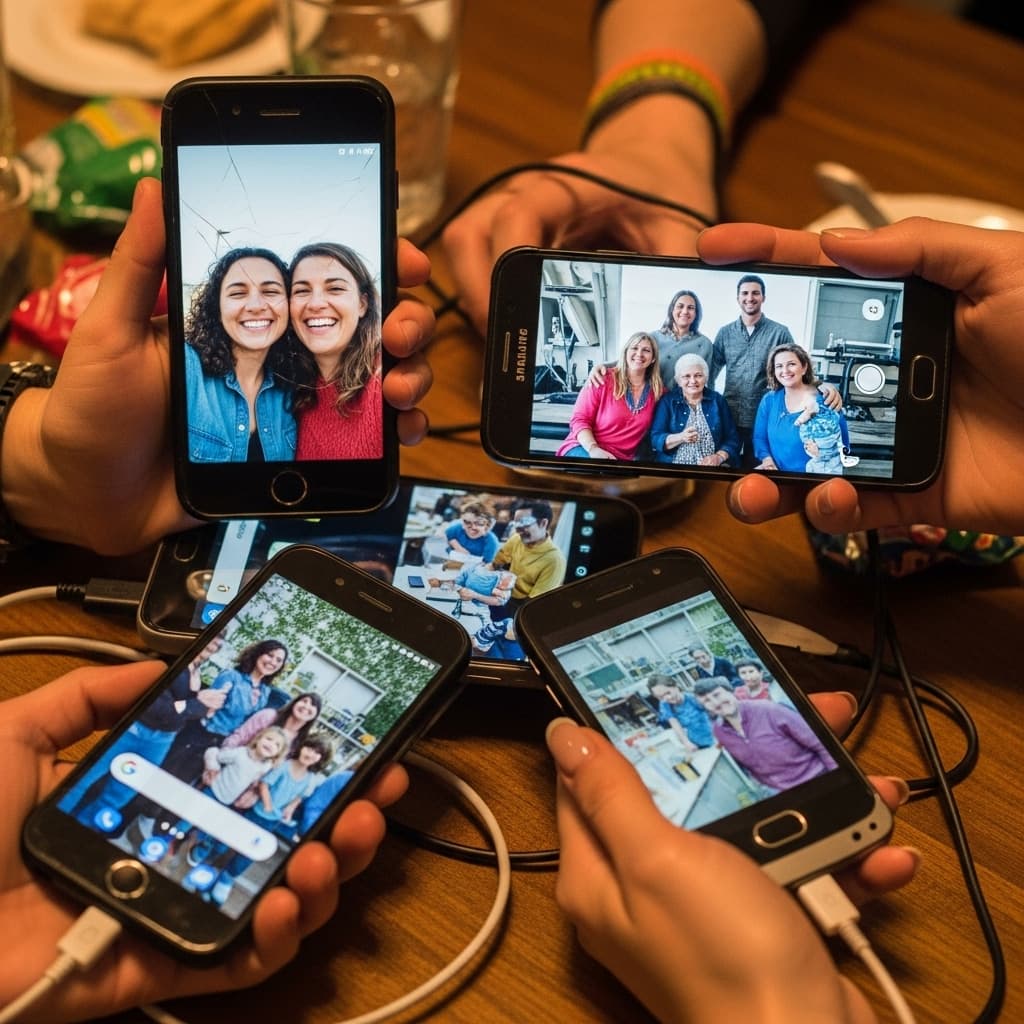
Wouldn’t it be great if there was a way to let everyone at the party easily upload and view photos?
This is exactly what PhotoCab shared albums solve!
Why Is Birthday Party Photo Sharing Important?
The Unique Value of Birthday Photos
Birthday is a once-a-year special moment, and these photos carry:
- 💝 Witness of growth: Each year’s birthday photos record the footprints and changes of growth
- 🎉 Precious beautiful memories: Companionship of friends and family, laughter and joy, worth preserving forever
- 📸 Complete story recording: From preparation to end, completely record the wonderful process of the entire party
- 🌟 Bond of emotion: These photos connect each other’s emotions, still warm years later
- 🎁 Gifts and blessings: Moments of opening gifts and receiving blessings are precious memories worth keeping
Pain Points of Traditional Sharing Methods
Method 1: Sending One by One
10 people at the party, each took 20 photos:
- ❌ Need to send 200 messages
- ❌ Quality gets compressed, details lost
- ❌ Slow to send, easy to miss someone
- ❌ Clutters chat history, inconvenient to find
Method 2: WeChat Group/Moments
- ❌ Photos get buried by other messages, hard to find
- ❌ Don’t want to make all photos public (some photos are more private)
- ❌ Not all friends use the same social platform
- ❌ Photos easily get buried, hard to preserve long-term
Method 3: Email
- ❌ Complex operations, many people don’t know how to use
- ❌ Email attachment size limitations
- ❌ Not immediate enough, lacks interactivity
- ❌ Elderly and children don’t know how to use
Method 4: USB Drive/Cloud Storage
- ❌ Need face-to-face copying or complex sharing operations
- ❌ Many people don’t know how to use cloud storage, barrier too high
- ❌ Lacks the exclusive atmosphere of birthday parties
- ❌ Not convenient enough, poor experience
PhotoCab Birthday Party Photo Sharing Solution
What Is a Shared Album?
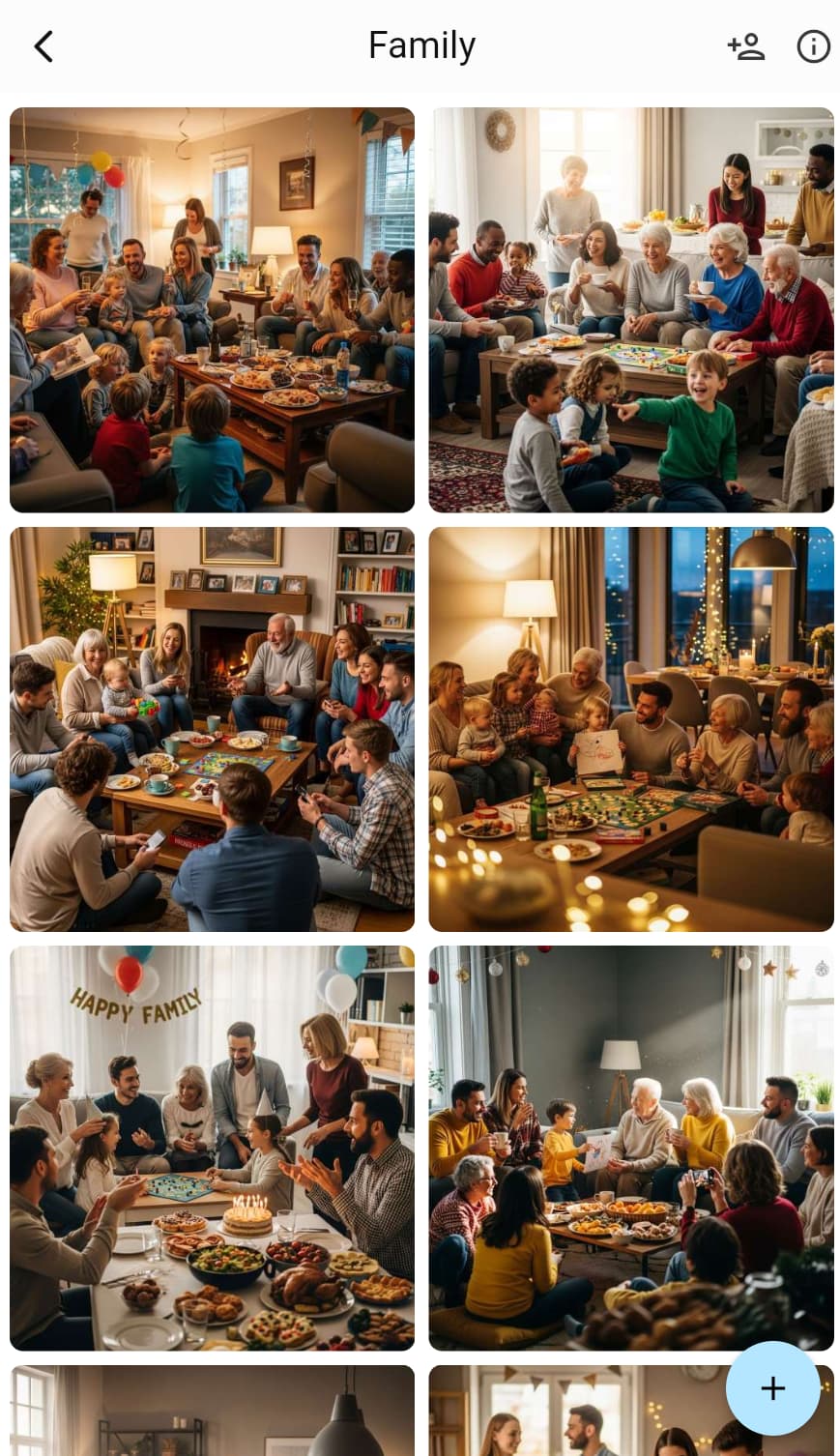
A shared album is an album that allows multiple people to upload, view, and manage photos together. Like creating a dedicated “cloud album,” you create the album, then share the link with all friends at the party, and they can easily upload and view photos.
Simply put:
- 📱 Create a birthday party album
- 🔗 Share the link with all friends
- 📸 Everyone uploads their photos, automatically collected
- 💾 All photos permanently saved, view anytime
Why Is It Particularly Suitable for Birthday Parties?
✅ Super easy to operate: Click link to upload, no complex operations needed
✅ Clear and complete quality: Original quality preserved, no distortion, all details retained
✅ Real-time sync updates: When someone uploads new photos, everyone can see immediately
✅ Privacy and security protection: Only invited people can see, won’t be public
✅ Permanent cloud storage: Won’t lose photos due to phone loss or phone replacement
✅ Multiple people contribute together: All party attendees can upload photos, complete record
How to Create a Birthday Party Shared Album?
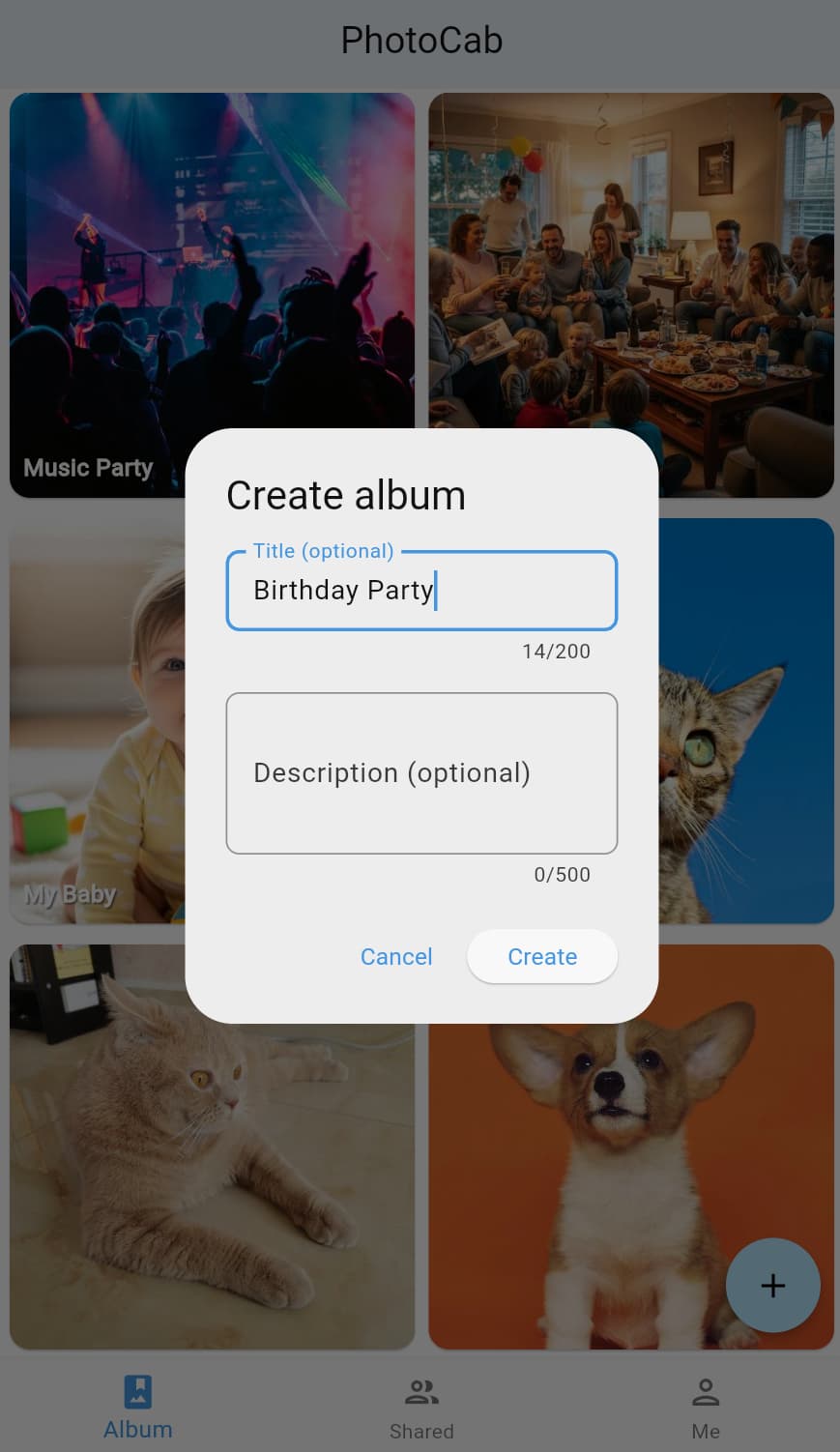
Step 1: Create Album in Advance (1-2 Days Before Party)
- Open PhotoCab
- Click “Create Album” button
- Give it a clear name:
- ✅ “Xiaoming’s 10th Birthday Party 2024”
- ✅ “My 25th Birthday Party”
- ✅ “Mom’s 60th Birthday Gathering”
- ✅ “Birthday Party 2024.12.25”
- ❌ “Photos” (too vague)
- ❌ “Party” (not specific enough)
Naming Tips:
- Include name and age for easy identification
- Add date for easy future searching and reminiscing
- If it’s a child’s birthday, add age to record growth
Step 2: Share Link in Advance (Before Party)
Method 1: Share Link (Recommended)
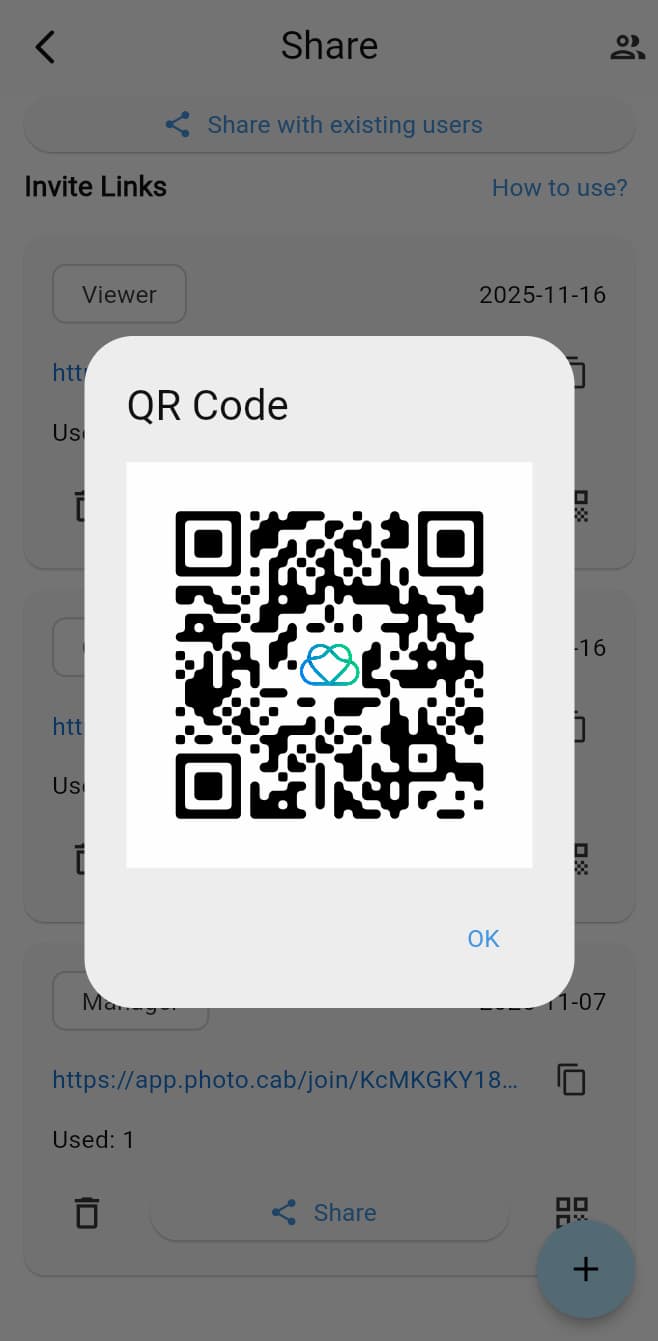
- Enter album, click “Share” button
- Choose permissions:
- Upload permission: Can view and upload photos (recommended for all party attendees)
- View permission: Can only view photos (suitable for those who didn’t attend but want to see, like distant family)
- Copy link and send to friends in advance
Benefits of sharing early:
- Friends are prepared, know they need to upload photos
- Can upload on-site during the party, instant sharing
- Won’t forget to share, forms a habit
Message Template:
🎉 【Birthday Party Photo Sharing】
For this Saturday’s birthday party, we’ve created a shared album where everyone can upload photos anytime: 🔗 [Album Link]
You can start uploading on the party day, so everyone’s photos will be automatically collected together! 📸
Method 2: QR Code Sharing
- Place a QR code poster at the party venue
- Friends can scan to join
- Suitable for on-site adding of new friends
Step 3: Real-time Upload on Party Day
Why Upload on Party Day?
✅ Won’t forget: Strike while the iron is hot, strongest impression
✅ Instant sharing: Everyone can see wonderful moments immediately
✅ Save phone space: Can delete originals after uploading
✅ Complete record: Real-time recording from start to finish
Upload Timing:
- 🎂 When cutting cake: This important moment, multiple people shooting from different angles
- 🎁 When opening gifts: Record surprised and moved expressions
- 📸 When taking group photos: Large group photos, small group photos, upload on-site
- 💃 During games: Fun moments, upload anytime
- 🍰 When eating cake: Warm gathering time
Upload Suggestions:
- ✅ Can upload during the party, don’t need to wait until end
- ✅ Can upload while shooting, or batch upload during breaks
- ✅ Delete blurry, duplicate photos, keep the best
- ✅ Can upload multiple at once, saves time
What Photos to Upload?
🎂 Preparation Stage: Decorations, preparing cake and gifts
🎉 Party Start: Birthday person appears, welcoming friends
🎁 Gift Giving: Opening gifts, receiving blessings
🍰 Cutting Cake: Making wishes, blowing candles, cutting cake
📸 Photo Moments: Large group photos, small group photos, creative photos
💃 Interactive Games: Game sessions, funny moments
😊 Warm Moments: Chatting, hugging, blessings
🎊 Party End: Cleaning up, farewell moments
Step 4: How Friends Upload Photos?
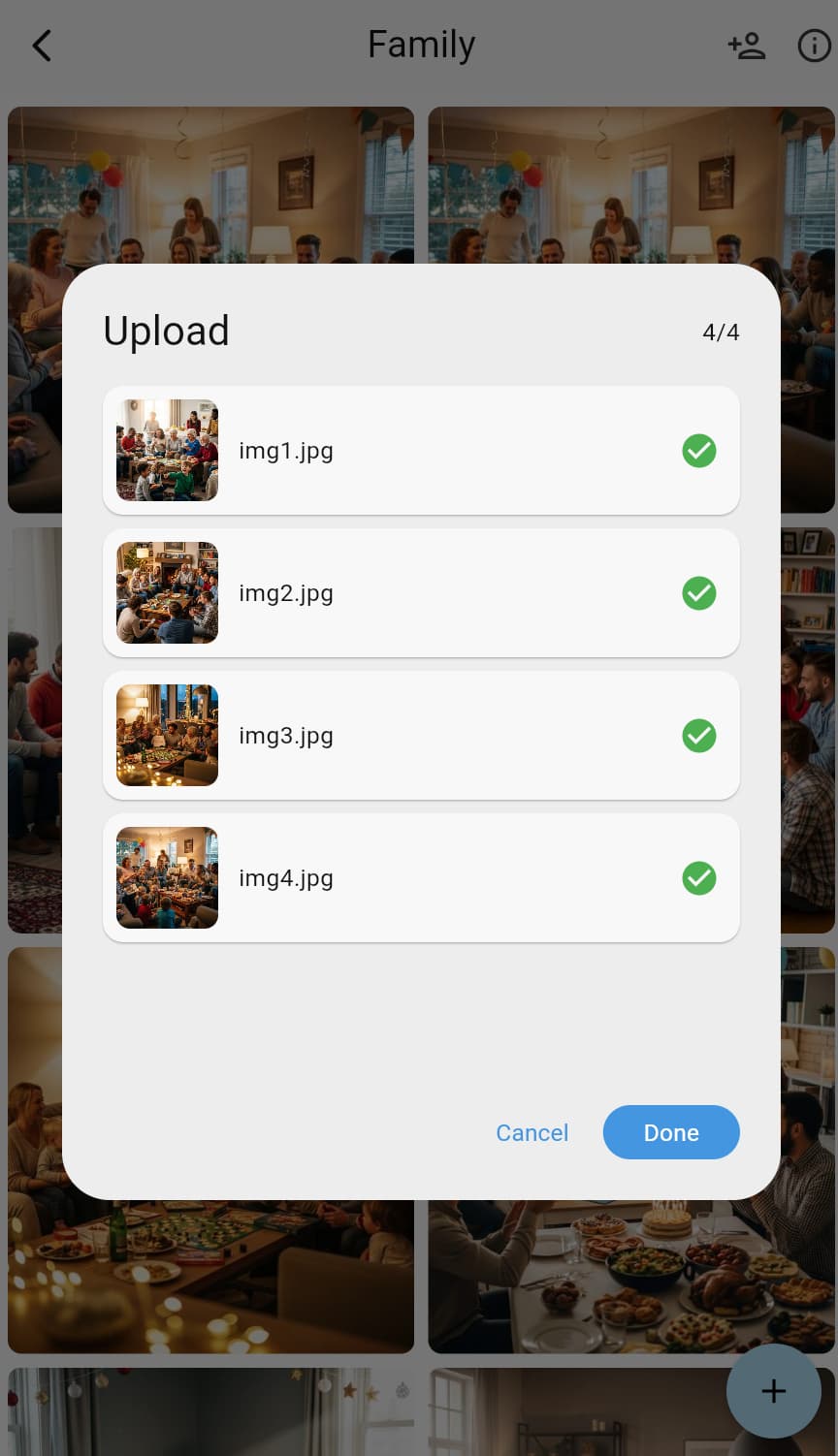
After receiving the link, friends just need to:
- Click the link (works in WeChat, SMS, email)
- Open album and see already uploaded photos
- Click “Upload” button
- Select photos to upload (can select multiple)
- Click confirm, photos automatically upload
Super Simple Operation:
- No registration/login needed (if accessing via link)
- No complex operations, just a few clicks
- Upload is fast, doesn’t waste time
- Appears immediately after upload, everyone can see
Various Birthday Party Photo Sharing Scenarios
Scenario 1: Children’s Birthday Party
Background: Hosting a birthday party for a child, many parents attend, everyone took photos.
Solution:
- Create “XX’s 10th Birthday Party” album in advance
- Include album link in invitation information
- Also place QR code at party venue for easy scanning
- Parents upload their own photos
- All photos automatically collected, complete birthday record
Advantages:
- Don’t need to ask for photos one by one, parents actively upload
- Each parent has different angles, photos more complete
- Years later when reviewing, see child’s growth record
- Can print into album as growth memento
Special Suggestions:
- Let child participate, choose favorite photos
- Can create an album each year, record annual growth
- Suitable as material for growth albums
Scenario 2: Adult Friend Birthday Party
Background: Friend birthday gathering, a group of good friends celebrating together, everyone took photos.
Solution:
- Create “XX’s 25th Birthday Party” album
- Share link in friend group
- Can start uploading during the party
- All friends’ photos automatically collected
Advantages:
- More organized than group chat, won’t flood
- Quality unaffected, original quality preserved
- Convenient for later organizing and making videos
- Private sharing, only friends can see
Future Uses:
- Select photos to make birthday video
- Print photos into album as gift for birthday person
- Post selected photos on Moments
- Review during friend gatherings years later
Scenario 3: Elderly Birthday Celebration
Background: Celebrating birthday for an elder, multiple generations gather, want to collect everyone’s photos.
Solution:
- Create “Grandpa/Grandma’s XX Birthday” album
- Share link with all family members
- Young people help elderly upload photos (if needed)
- All photos collected, complete family gathering record
Advantages:
- Convenient for absent family to see the scene
- All photos permanently saved, precious family memory
- Can make into album as gift for elderly
- Can review during family gatherings years later
Special Suggestions:
- Teach elderly how to use (actually very simple, just click link)
- Can print out, make physical album
- Suitable as family archive
Scenario 4: Company Colleague Birthday Celebration
Background: Company celebrates colleague’s birthday, colleagues took photos, want to collect and share.
Solution:
- Create “XX Birthday Celebration” album
- Share link in work group
- Colleagues upload their own photos
- Can share with colleagues who didn’t attend
Advantages:
- Doesn’t affect normal work group usage
- Photos organized, easy to view
- Can be used for internal company promotion
- Enhances team cohesion
Scenario 5: Long-distance Friends’ “Cloud Birthday”
Background: Friend’s birthday, but everyone is in different cities, can’t gather together, want to share respective birthday photos.
Solution:
- Create “XX Cloud Birthday Party” album
- Friends upload their own birthday photos
- Although not in the same place, photos can gather together
- Pay attention to each other, bless each other
Advantages:
- Even when not together, can feel friends’ blessings
- Share each other’s birthday celebration methods
- Maintain friendship connection
- Create shared memories
Best Practices for Birthday Party Photo Sharing
Practice 1: Prepare Early, Share Early
❌ Wrong Approach: Remember to collect photos a week after party ends
✅ Correct Approach:
- Create album 1-2 days before party
- Send link to friends in advance
- Tell them: “Party photos will be here”
- Can start uploading on party day
Benefits:
- Friends are prepared, know they need to upload photos
- Instant sharing in party atmosphere, more participation
- Won’t forget to upload, forms a habit
- Photos basically collected by party end
Practice 2: On-site Guidance, Increase Participation
At the party you can:
- 📱 Place QR code on-site for easy scanning
- 💬 Verbal reminder: “Remember to upload photos to the album”
- 📸 Lead by example: “I’ll upload a few first”
- 🎉 Real-time announcement: “Already have 20 photos”
Guidance Script:
“All photos taken today can be uploaded to this album, everyone’s photos will be collected together, so everyone can see the complete party photos!”
Practice 3: Select Photos, Improve Quality
❌ Wrong Approach: Upload all photos, including blurry, duplicate, irrelevant ones
✅ Correct Approach:
- Simple screening before upload
- Delete blurry, duplicate photos
- Choose photos that best reflect party atmosphere
- Moderate quantity (10-20 photos per person is appropriate)
Screening Criteria:
- ✅ Photos clear, in focus
- ✅ Natural expressions, memorable
- ✅ Clearly birthday party related
- ✅ Good composition, festive atmosphere
Practice 4: Set Permissions Reasonably
Upload Permission (suitable for all party attendees):
- Can view and upload photos
- Everyone contributes together, complete record
- Recommended for: All party guests
View Permission (suitable for those who didn’t attend but want to see):
- Can only view photos, can’t upload
- Suitable for: Distant family, friends who didn’t come
Admin Permission (suitable for co-organizers):
- Can manage album, delete photos, manage members
- Suitable for: Party co-organizers, family
Practice 5: Later Organization and Use
After party ends you can:
- 📥 Batch Download: One-click download all photos locally
- 🎬 Make Video: Select photos to make birthday video
- 📖 Make Album: Print photos, make physical album
- 🎁 Gift for Birthday Person: As birthday gift
- 📱 Social Media: Select photos to post on Moments
- 💾 Permanent Storage: Cloud storage, review anytime
Creative Uses for Birthday Party Photo Sharing
Creativity 1: Create Birthday Photo Timeline
Upload photos in chronological order:
- Preparation stage: Decorations, preparation
- Guests arrive: Welcome, greetings
- Party starts: Introductions, opening
- Gift giving: Opening gifts, receiving blessings
- Cutting cake: Making wishes, blowing candles
- Photo moments: Various group photos
- Interactive games: Game sessions
- Party end: Farewell, cleanup
Complete record of the entire party process.
Creativity 2: Categorized Uploads
If you have many photos, can create multiple albums:
- “Birthday Party - Preparation Stage”
- “Birthday Party - Opening Gifts”
- “Birthday Party - Cutting Cake”
- “Birthday Party - Group Photos”
- “Birthday Party - Game Interactions”
Clear categorization, convenient to view and review.
Creativity 3: Annual Comparison Albums
Create an album each year for birthday:
- “5th Birthday Party”
- “6th Birthday Party”
- “7th Birthday Party”…
Years later compare, see growth trajectory.
Creativity 4: Interactive Comment Albums
When uploading photos can add:
- Photo descriptions
- Blessings
- Funny comments
Make albums not just photos, but also interaction and memories.
Creativity 5: Create Birthday Surprise
Surprise for Birthday Person:
- After party ends, collect all photos
- Make into beautiful video or album
- Give to birthday person the next day
- As special birthday gift
Sharing for Family:
- Family who couldn’t attend can see complete party process
- “Participate” in party through photos
- Feel family warmth and joy
Common Questions About Birthday Party Photo Sharing
Q1: Will uploading photos take up phone space?
A: No. After uploading to cloud, you can delete originals from phone to save space. Photos are still saved in cloud, can view and download anytime.
Q2: Friends don’t know how to use smartphones, how to upload?
A:
- Can open link on computer to upload
- Can ask other friends to help upload
- Operation is very simple, just click link, select photos, upload three steps
- If really can’t, can help upload on-site
Q3: Will photos be compressed?
A:
- There will be intelligent compression when uploading, but maintains sufficient clarity
- Meets daily viewing and printing needs
- If need original, can download original version (if supported)
Q4: Can I set who can see and who cannot?
A: Yes. Only people who receive your shared link can see the album, others cannot access. You can also remove members anytime.
Q5: If I uploaded photos I don’t want to share, can I delete them?
A: Yes. Album creator can delete any photos anytime. Regular members can only delete photos they uploaded.
Q6: Will photos be permanently saved?
A: Yes, photos are saved in cloud, won’t be lost. Unless you actively delete, will be saved forever. Very suitable for long-term preservation of birthday memories.
Q7: Can I download photos in bulk?
A: Yes. Album creator can download all photos in bulk, convenient for local backup and making albums, videos.
Q8: If network is poor, will uploading be slow?
A:
- Can upload in WiFi environment
- Can select multiple photos at once for batch upload
- Upload can run in background, doesn’t affect phone use
- Can re-upload if upload fails
Q9: If phone dies, will photos be lost?
A: No. If upload is interrupted, just re-upload. Already uploaded photos are saved in cloud, won’t be lost.
Q10: Can I add text descriptions to photos?
A: Depending on feature support, can add titles or descriptions to photos, help record stories and memories behind photos.
Q11: What if someone uploaded inappropriate content?
A:
- Album creator can delete any photos anytime
- Can remove members who uploaded inappropriate content
- Suggestion: Explain upload guidelines in advance, everyone follows consciously
Q12: Can I limit upload time? Like close upload after party ends?
A:
- Yes! After party ends, change everyone’s permission to “view only”
- This way everyone can still view photos, but can’t upload new ones
- Or directly close share link
Importance of Birthday Party Photo Sharing
Birthday is a once-a-year special moment, these photos are not just images, but:
- 💝 Witness of growth: Record changes and growth each year
- 🎉 Beautiful memories: Companionship of friends and family, laughter and joy
- 📸 Bond of emotion: Connect each other’s emotions and friendships
- 🌟 Precious gift: Can make into albums, videos, gift to birthday person
- 💾 Eternal preservation: Won’t be lost over time
Share and preserve these photos the right way, let birthday joy extend to the future.
Start Sharing Your Birthday Party Photos
Don’t let birthday party photos only exist in everyone’s phones anymore!
Try it now:
- 📱 Open PhotoCab
- ➕ Create “Birthday Party” album
- 🔗 Share link with friends in advance
- 📸 Start uploading photos on party day
- 💝 Let everyone witness this wonderful moment together
Sharing photos is sharing joy; saving photos is saving memories.
Let PhotoCab help you easily handle birthday party photo sharing, let all important people participate in recording, let birthday joy extend to every day.
Tips:
- 🎂 Children’s Birthday: Let children participate in selecting photos, cultivate their sense of participation
- 🎉 Adult Party: Can make into video, play at next gathering
- 👴 Elderly Birthday: Can print into album, gift to elderly
- 💝 Surprise Gift: After party ends, organize photos, give to birthday person the next day as special gift
Photos become more precious over time, treasure these beautiful memories! 📸✨