How to Share Christmas Photos? Let All Family and Friends See Your Holiday Memories
After Christmas, Photo Sharing Becomes a New Headache?
Christmas just ended, and your phone is definitely filled with beautiful moments:
- 🎄 Cozy moments decorating the Christmas tree
- 🎁 Surprised expressions opening gifts
- 🍽️ Joyful family meal times
- ❄️ Festive atmosphere in the snow
- 👨👩👧 Family photos together
However, when you want to share these photos with distant family and friends, have you encountered these problems:
- 📱 Too tedious to send: Sending one by one via messaging apps, quality gets compressed, and you have to find each person individually
- 📧 Email too slow: Too many photos, attachments too large to send
- 💬 Group chats too messy: Posting to family groups, photos get buried in messages, scattered everywhere
- 😴 Forgot to share: Took photos but got busy and forgot
- 👴 Elderly can’t use: Want to share with older relatives, but it’s too complicated for them to learn
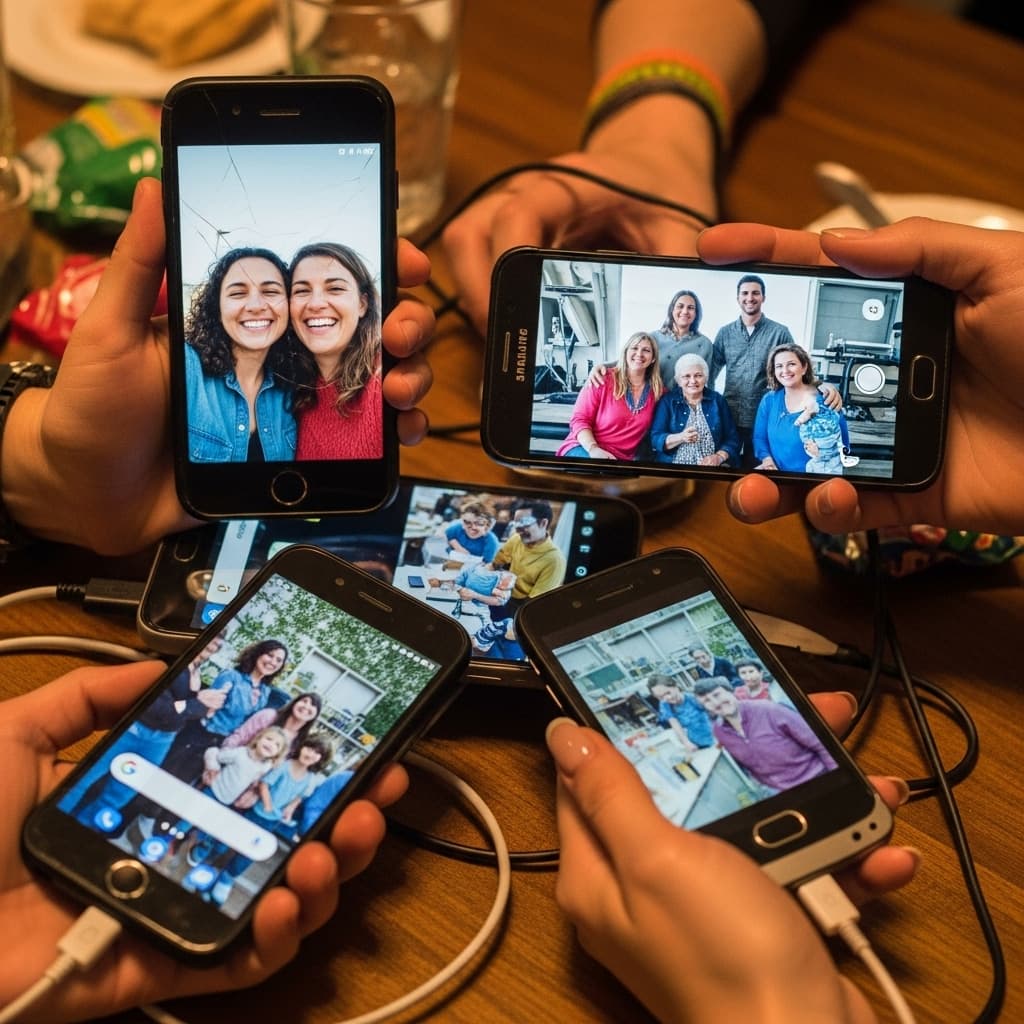
Wouldn’t it be great if there was a way to let all family and friends easily see your Christmas photos?
This is exactly what PhotoCab shared albums solve!
Why Is Christmas Photo Sharing Important?
The Unique Value of Holiday Photos
Christmas is one of the warmest holidays of the year, and these photos carry:
- 💝 Precious family memories: Once-a-year important moments worth preserving forever
- 🌍 Connecting distant relatives: Family members who can’t reunite can “virtually reunite” through photos
- 📸 Recording growth and changes: Children’s smiles, elderly’s kindness, each photo is precious
- 🎄 Preserving festive atmosphere: Decorations, food, gifts, a complete holiday record
Pain Points of Traditional Sharing Methods
Method 1: Sending One by One
- ❌ Quality gets compressed, details lost
- ❌ Slow to send, easy to miss someone
- ❌ Recipients might not see them in time
- ❌ Clutters chat history, hard to find later
Method 2: Social Media/Posts
- ❌ Don’t want to make all photos public
- ❌ Not all family members use the same platform
- ❌ Photos get buried in feed, hard to revisit
Method 3: USB/Email
- ❌ Complex to operate, elderly can’t use it
- ❌ Email attachment size limitations
- ❌ Not immediate, lacks interactivity
Method 4: Cloud Storage
- ❌ Requires registration and login, high barrier
- ❌ Complex operations, poor experience
- ❌ No dedicated sharing atmosphere
PhotoCab Christmas Photo Sharing Solution
What Is a Shared Album?
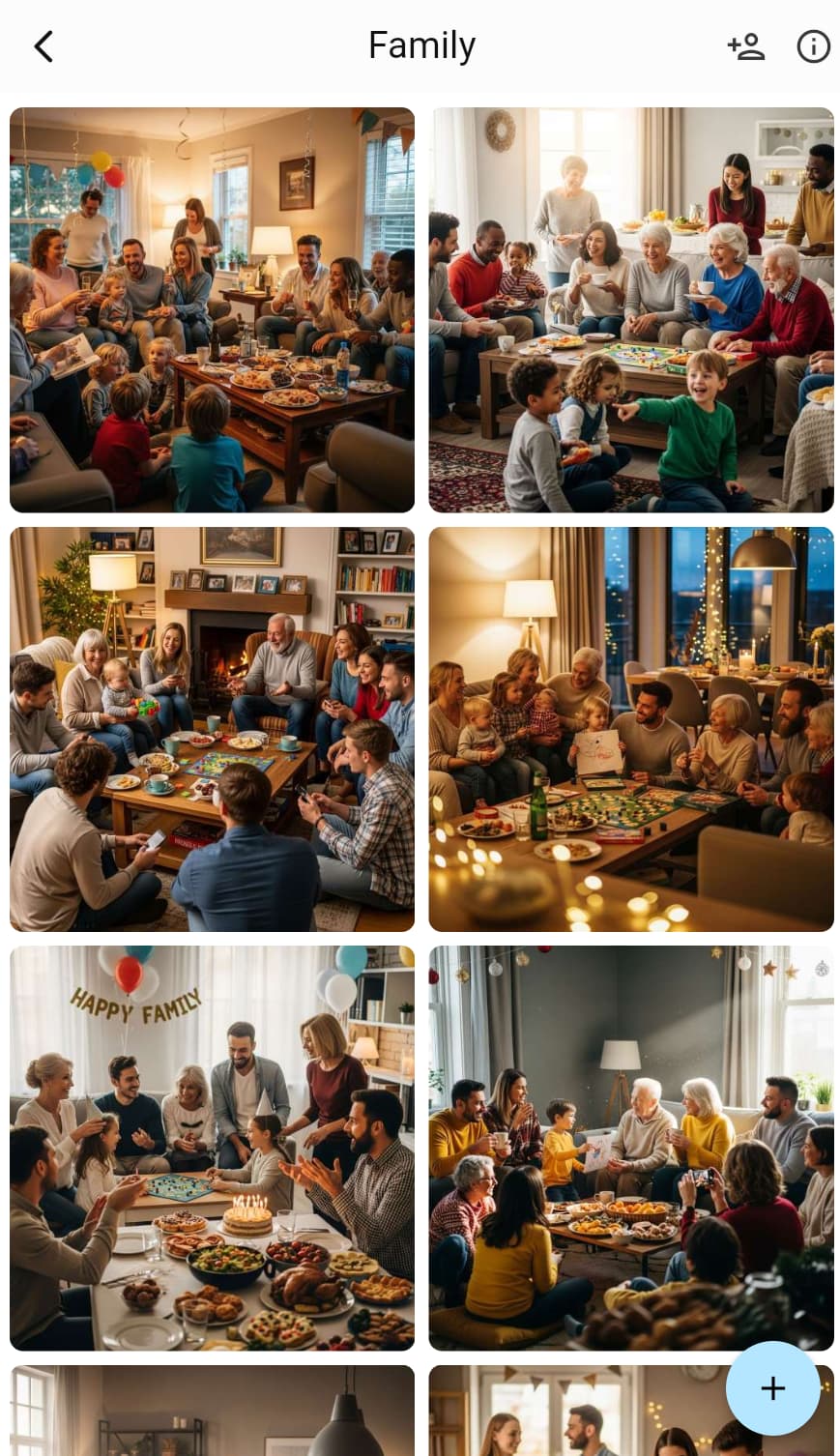
A shared album is an album that allows multiple people to view, upload, and manage photos together. Like creating a dedicated “cloud album,” you upload photos, and all invited people can see them immediately.
Simply put:
- 📱 Create a Christmas album
- 🔗 Share the link with family and friends
- 📸 Upload photos, everyone sees them in real-time
- 💾 Photos permanently saved, view anytime
Why Is It Suitable for Christmas Photo Sharing?
✅ Easy to use: Click the link to view, no complex operations
✅ High quality: Original quality preserved, no distortion
✅ Instant sharing: Syncs to everyone immediately after upload
✅ Privacy protected: Only invited people can see
✅ Permanently saved: Won’t get lost, can revisit anytime
✅ Multi-person participation: Family can also upload their photos
How to Create a Christmas Shared Album?
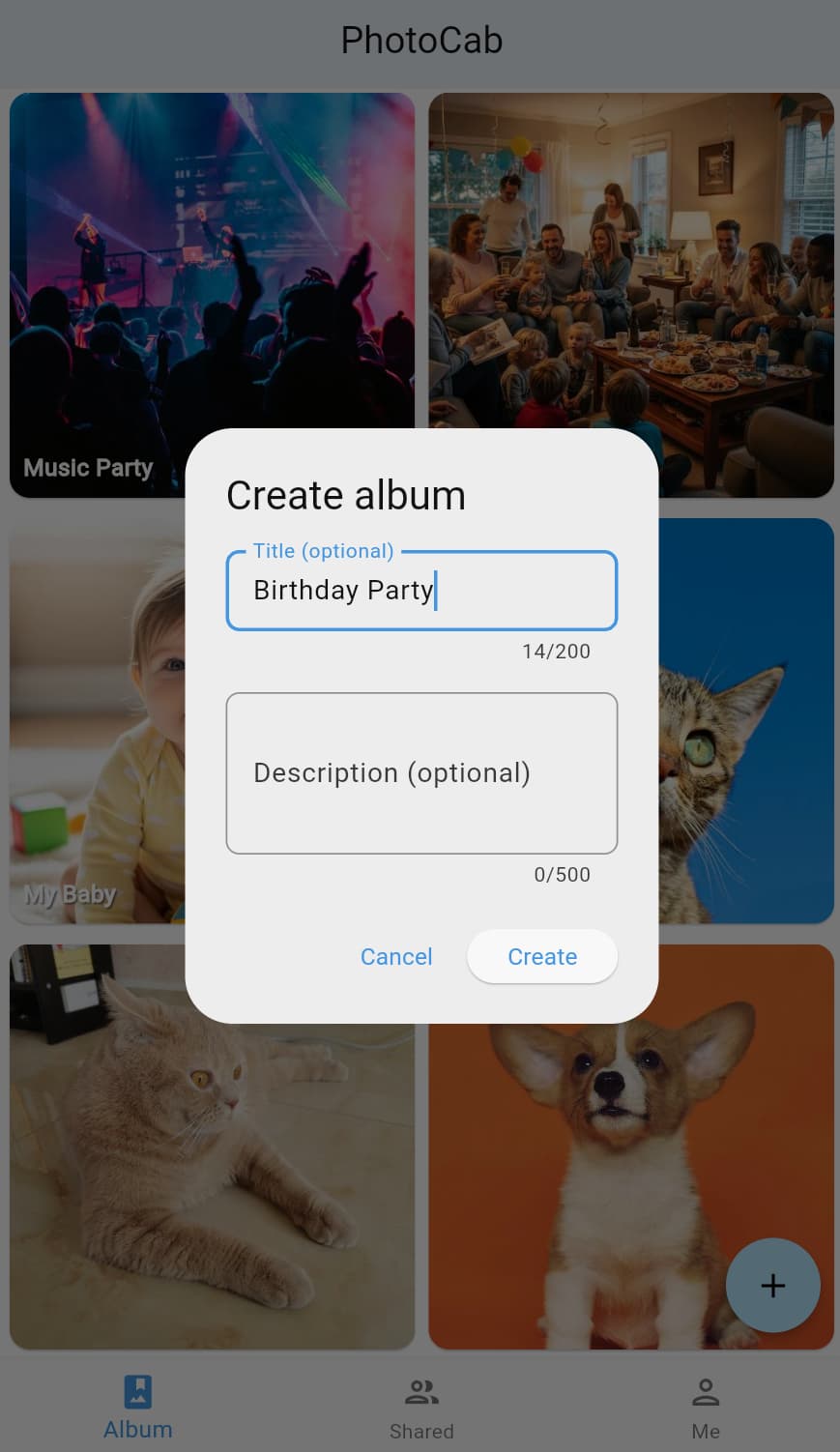
Step 1: Create Album
- Open PhotoCab
- Click “Create Album” button
- Give it a meaningful name:
- ✅ “Christmas 2024”
- ✅ “Our Family Christmas”
- ✅ “Merry Christmas 2024”
- ❌ “Photos” (too vague)
Naming Tips:
- Add the year for easy future searching
- If you have multiple homes/families, distinguish them: e.g., “Parents’ House Christmas 2024”
- Add descriptions for special meaning: e.g., “First Christmas with Baby”
Step 2: Invite Family and Friends
Method 1: Share Link (Recommended)
- Enter the album, click “Share” button
- Choose permissions:
- View permission: Can only view photos (recommended for relatives who just want to see)
- Upload permission: Can view and upload (recommended for family, let everyone contribute)
- Copy the link and send to family and friends
Message Template:
📸 【Christmas Photo Sharing】
This year’s Christmas photos are in a shared album, click the link to view: 🔗 [Album Link]
All photos are here, you can view and download anytime! You can also upload your Christmas photos~
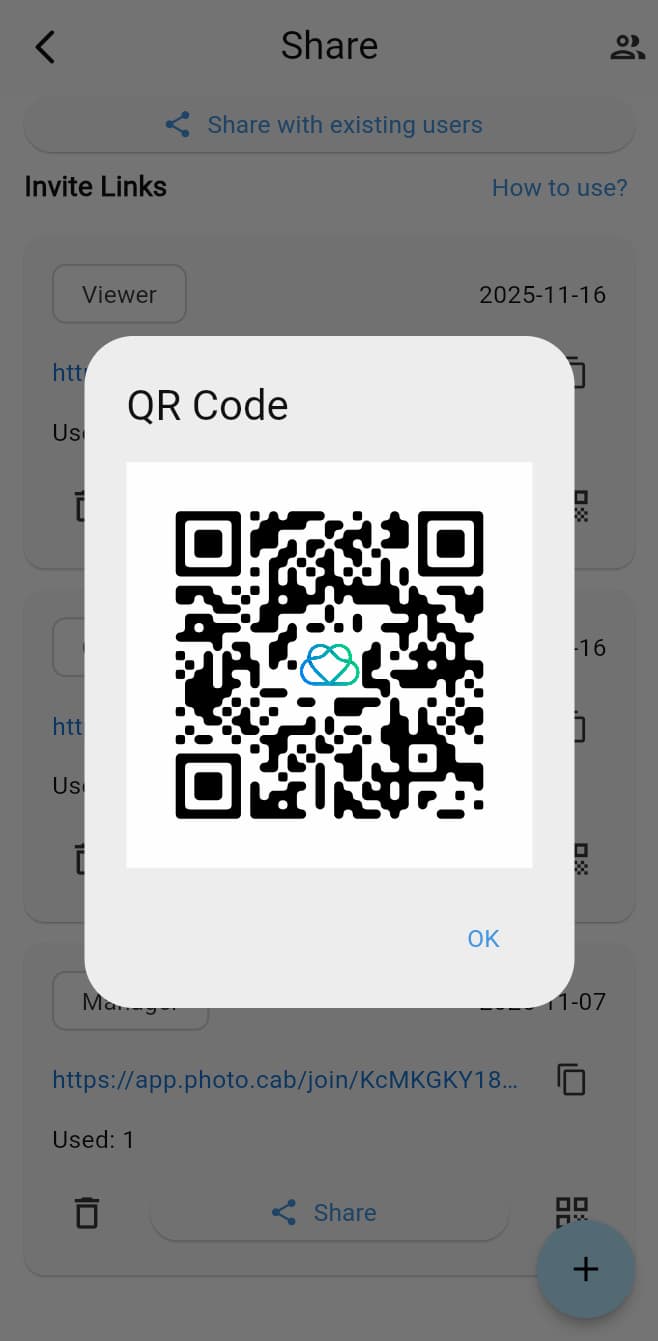
Method 2: QR Code Sharing
- When meeting face-to-face, have them scan the code
- Suitable for adding people at family gatherings
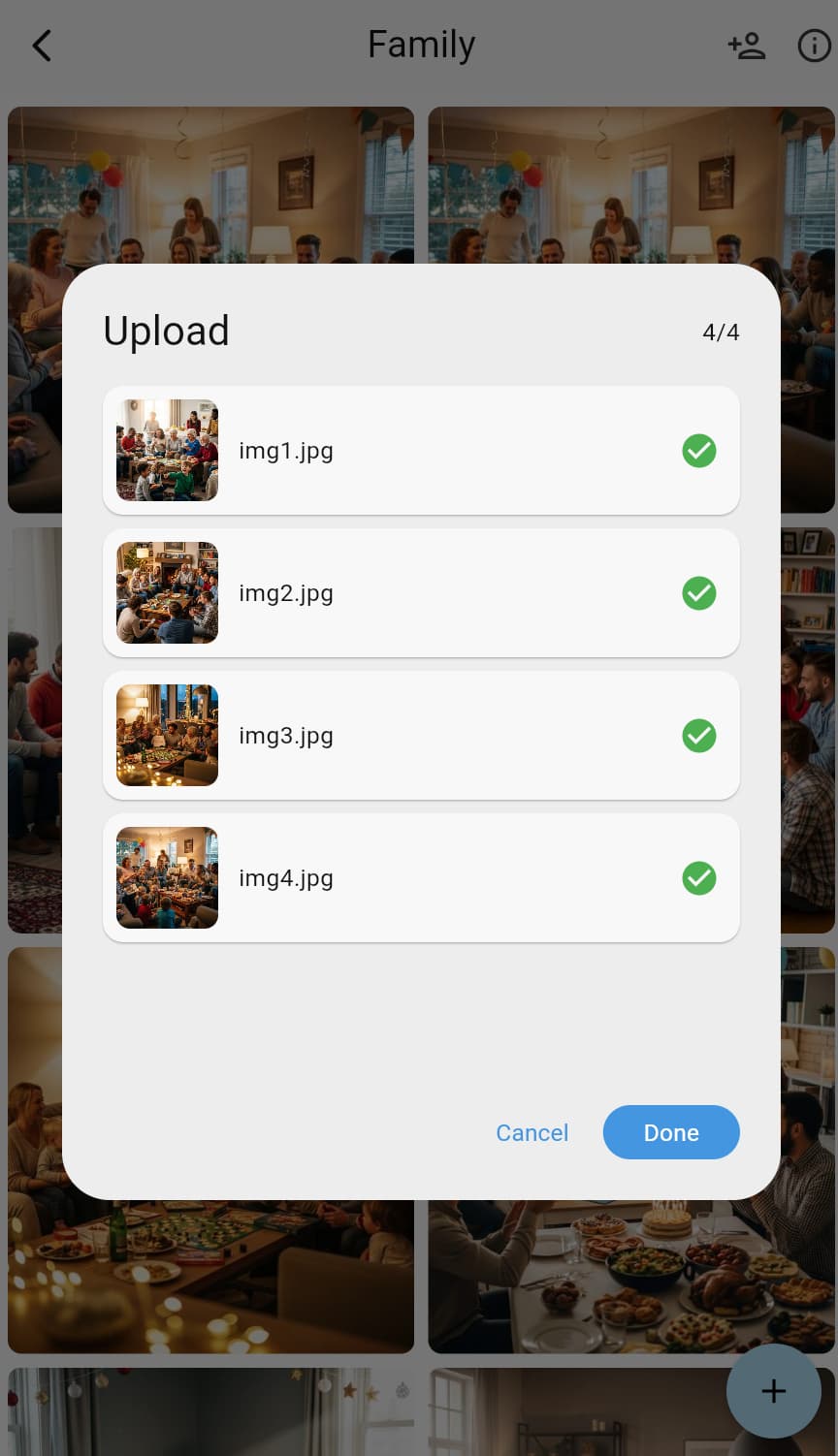
Step 3: Upload Christmas Photos
When to Upload?
- 📸 On Christmas Day: Upload right after taking photos for instant sharing
- 🌙 Evening Organization: After Christmas Eve ends, upload all photos from the day
- 📅 After Holiday: After Christmas ends, upload selected photos
Upload Suggestions:
- ✅ Simple screening before upload, delete blurry, duplicate photos
- ✅ Upload in chronological or event order for better organization
- ✅ Give photos meaningful names (if supported), like “Gift Opening Moment”
- ✅ Upload multiple photos at once to save time
What Photos to Upload?
🎄 Decoration Process: Decorating Christmas tree, hanging lights, room setup
🎁 Gift Moments: Opening gifts, preparing gifts, gift pile
🍽️ Food Times: Christmas feast, baking, gatherings
👨👩👧 Family Photos: Family portraits, multi-generational photos, children close-ups
❄️ Festive Atmosphere: Snow scenes outside window, holiday decorations, holiday street scenes
😊 Warm Moments: Children’s smiles, elderly’s kindness, cute pet moments
Step 4: Family and Friends’ Viewing Experience
After receiving the link, family and friends just need to:
- Click the link (works in messaging apps, SMS, email)
- Open the album and see all photos
- Can:
- 👀 Browse all photos
- 💾 Save favorite photos to phone
- 📸 Upload their own Christmas photos (if given upload permission)
- 💬 Like or comment on photos
Especially Suitable For:
- 👴👵 Grandparents: Don’t know how to use complex software, but can view photos by clicking link
- 🌍 Distant Relatives: In different cities, can’t reunite, but can see holiday photos in real-time
- 👶 Children: Can like photos, increasing participation
- 👨👩👧 Extended Family: Everyone can see simultaneously, no need for duplicate sending
Various Christmas Photo Sharing Scenarios
Scenario 1: Sharing with Distant Family
Background: You work away from home, took Christmas photos, want to share with parents and grandparents back home.
Solution:
- Create “Christmas 2024” album
- Upload your Christmas photos
- Send link to family
- Family can view immediately and save to phone
Advantages:
- No need to send one by one via messaging
- High quality, no distortion
- Family can view anytime, won’t expire
- If family also took photos, they can upload and share
Scenario 2: Extended Family Joint Recording
Background: Christmas family gathering, everyone is taking photos, want to collect everyone’s photos.
Solution:
- Create “2024 Christmas Family Gathering” album in advance
- Send link to all attending family members
- Have everyone upload their own photos
- Everyone’s photos automatically collected, complete Christmas record
Advantages:
- No need to ask for photos afterward
- Different perspectives from different people, more complete photos
- Automatic collection, no manual organization needed
Scenario 3: Sharing with Child’s School
Background: Child’s school Christmas activity, teacher asks parents to share family Christmas photos.
Solution:
- Create album, upload child’s Christmas photos
- Share view link with teacher
- Teacher can see photos but won’t upload new content
Advantages:
- No need to spam class group chat
- Teacher can selectively download
- Privacy protected, other parents can’t see
Scenario 4: Holiday Greetings Between Friends
Background: Want to share Christmas photos with close friends, but don’t want to post on social media.
Solution:
- Create “Christmas 2024” album
- Upload selected photos
- Share link with a few close friends
- Friends can see photos and also upload their Christmas photos
Advantages:
- Private sharing, only friends can see
- Friends can also contribute photos, share with each other
- More organized than group chat, won’t get buried
Scenario 5: Digital Album for Elderly
Background: Grandparents don’t know how to use smartphones well, want them to see family Christmas photos.
Solution:
- Create album, upload all Christmas photos
- Set up simple, easy-to-use viewing method
- Teach grandparents to click link to view photos (only need to teach once)
- After photos are updated, they can see by clicking the link
Advantages:
- Simple operation, easy for elderly to learn
- No need to help send every time
- Photos auto-update, convenient to view
Best Practices for Christmas Photo Sharing
Practice 1: Prepare in Advance, Share Early
❌ Wrong Approach: Remember to share photos a week after Christmas
✅ Correct Approach:
- Create album before Christmas
- Send link to family in advance
- Tell them: “Christmas photos will be here”
- Can start uploading on the holiday
Benefits:
- Family is prepared, know where to look for photos
- Instant sharing during holiday atmosphere, more festive
- Won’t forget to share
Practice 2: Select Photos, Improve Quality
❌ Wrong Approach: Upload all photos, including blurry, duplicate ones
✅ Correct Approach:
- Screen before uploading
- Delete blurry, duplicate photos
- Choose photos that best reflect holiday atmosphere
- Moderate quantity (20-50 photos is appropriate)
Screening Criteria:
- ✅ Photos clear, in focus
- ✅ Good composition, festive atmosphere
- ✅ Clearly Christmas-related
- ✅ Natural expressions, memorable
Practice 3: Set Permissions Reasonably
View-Only Permission (suitable for most relatives/friends):
- Just want them to see photos
- Don’t need them to upload
- Examples: distant relatives, colleagues, friends
Upload Permission (suitable for family):
- Hope they also upload Christmas photos
- Everyone records the holiday together
- Examples: parents, siblings, close relatives
Admin Permission (suitable for co-managers):
- Need to co-manage the album
- Can delete photos, manage members
- Examples: couples co-managing family album
Practice 4: Add Descriptions to Photos (If Supported)
Add simple descriptions to important photos:
- “Baby’s first time seeing Christmas tree”
- “Family Christmas Eve photo”
- “Mom’s Christmas feast”
Benefits:
- Years later when viewing photos, can recall the scene
- Family feels more engaged when viewing
- Adds storytelling to photos
Practice 5: Remind Promptly, Increase Participation
If you want family to also upload photos:
Reminder Message:
I’ve uploaded 30 Christmas photos! Everyone can also upload their own~ Link: [Album Link]
Upload Method: Click link → Click “Upload” button → Select photos
Timing:
- Remind once after you finish uploading
- Remind again 1-2 days after Christmas
- Don’t nag too frequently to avoid bothering
Creative Uses for Christmas Photo Sharing
Creativity 1: Create Christmas Photo Timeline
Upload photos in chronological order:
- Morning: Decorating Christmas tree
- Noon: Preparing feast
- Afternoon: Opening gifts
- Evening: Gathering and photos
Complete record of the day’s holiday moments.
Creativity 2: Categorized Uploads
If you have many photos, can create multiple albums:
- “Christmas Decorations” album
- “Christmas Gifts” album
- “Christmas Feast” album
- “Christmas Photos” album
Clear categorization, family can view by interest.
Creativity 3: Add “Annual Comparison”
Create “Christmas Comparison” album, upload one family photo each year, record family changes and growth.
Creativity 4: Cloud Greeting Cards
After uploading Christmas photos, family can:
- Choose favorite photos
- Download and make into e-cards
- Share with other friends
Creativity 5: Holiday Memory Collection
Not just photos from Christmas Day, can also include:
- Preparation before Christmas (shopping, decorating)
- Celebration on Christmas Day
- Continuation after Christmas (New Year)
Complete holiday record.
Common Questions About Christmas Photo Sharing
Q1: Will uploading photos take up phone space?
A: No. After uploading to cloud, you can delete original photos from phone to save space. Photos are still saved in cloud, can view and download anytime.
Q2: Family members don’t know how to use smartphones, how can they view?
A:
- Can open link on computer to view
- Can help them download photos to computer
- If using tablet, can also open link to view
- Simple operation, just click link, no other complex operations needed
Q3: Will photos be compressed?
A:
- There will be intelligent compression when uploading, but maintains sufficient clarity
- Meets daily viewing and printing needs
- If need original, can download original version (if supported)
Q4: Can I set who can see and who cannot?
A: Yes. Only people who receive your shared link can see the album, others cannot access. You can also remove members anytime.
Q5: If I uploaded photos I don’t want to share, can I delete them?
A: Yes. Album creator can delete any photos anytime. Regular members can only delete photos they uploaded.
Q6: Will photos be permanently saved?
A: Yes, photos are saved in cloud, won’t get lost. Unless you actively delete, they will be saved forever.
Q7: Can I download photos in bulk?
A: Yes. Album creator can download all photos in bulk, convenient for local backup and making albums.
Q8: If home internet is poor, will uploading be slow?
A:
- Can upload in WiFi environment
- Can select multiple photos at once for batch upload
- Upload can run in background, doesn’t affect phone use
Q9: If phone dies, will photos be lost?
A: No. If upload is interrupted, just re-upload. Already uploaded photos are saved in cloud.
Q10: Can I add text descriptions to photos?
A: Depending on feature support, can add titles or descriptions to photos, help record stories behind photos.
Importance of Christmas Photo Sharing
Christmas is one of the warmest holidays of the year, and these photos are not just images, but:
- 💝 Carriers of family emotion: Recording precious moments of family reunions
- 🌍 Bridges connecting distant relatives: Let family who can’t reunite “participate” in the holiday
- 📸 Witnesses of growth: Recording changes in children and family
- 🎄 Heritage of holiday culture: Preserving family traditions and holiday memories
- 💾 Guarantee of permanent memories: Won’t lose precious photos due to phone loss
Share and preserve these photos the right way, let the warmth of the holiday extend into the future.
Start Sharing Your Christmas Photos
Don’t let Christmas photos only exist on your phone anymore!
Try it now:
- 📱 Open PhotoCab
- ➕ Create “Christmas” album
- 📸 Upload your Christmas photos
- 🔗 Share link with family and friends
- 💝 Let everyone feel the warmth of the holiday together
Sharing photos is sharing joy; saving photos is saving memories.
Let PhotoCab help you easily share Christmas photos, let all important people see your holiday memories, let the warmth of the holiday extend to every day.
Tip: After sharing Christmas photos, you can regularly (e.g., quarterly) revisit the album with family to reminisce about the happy holiday times. Photos become more precious over time. 📸✨